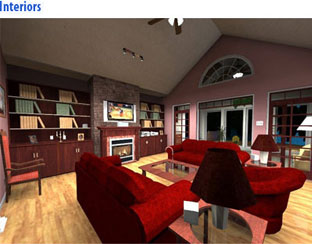

Take a fresh approach to the way you live with Virtual Architect Professional Home Design. This innovation in home design software delivers the powerful tools and inspiration you need to transform your living space, plus expert help to get the job done right.
With Virtual Architect Professional Home Design, you can plan room additions and other home improvement projects with ease, make your home energy efficient with new lighting and appliances, breathe new life into an outdated kitchen, bathroom or bedroom and so much more. You can even design your dream home, complete with landscaping or a deck, from scratch. No design experience necessary – with our wizard-driven interface, all you have to do is point and click!
Take a fresh approach to the way you live with Virtual Architect Professional Home Design. This innovation in home design software delivers the powerful tools and inspiration you need to transform your living space, plus expert help to get the job done right.
With Virtual Architect Professional Home Design, you can tackle home improvement projects with ease, make your home energy efficient with new appliances, breathe new life into an old kitchen or bath and so much more. You can even design your dream home, from scratch. No design experience necessary – with our wizard-driven interface, all you have to do is point and click!
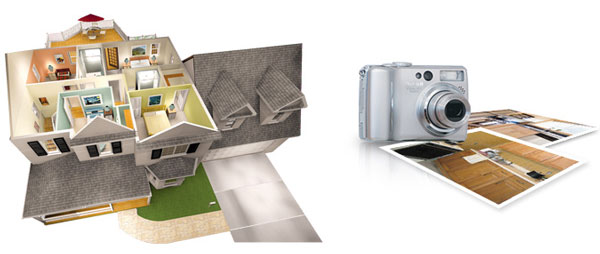

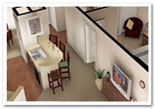


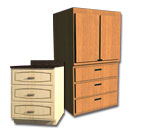
| For Makeovers and Remodeling | ||||||||||
| Powerful Home Design Features | ||||||||||
|
||||||||||
| Flexible Interior Design Features | ||||||||||
|
||||||||||
| Realistic Visualization Features | ||||||||||
|
||||||||||
| For Home Design, Kitchen, and Baths | ||||||||||
| Powerful Home Building Features | ||||||||||
|
||||||||||
| Complete Kitchen and Bath Design | ||||||||||
|
For Landscaping, Decks, and MoreAdvanced Landscaping Features
 |
Terrain Modeling: Easily specify hills and valleys |
|
Complete Plant Encyclopedia: 7,500+ entries with lighting and watering requirements |
|
Garden Visualizer: View plant growth and seasonal changes |
|
Plant Care Calendar: Identify the optimal times for planting, watering, pruning, fertilization and spraying |
Features for Outdoor Living
|
Deck Builder Wizard: Automatically build decks and patios in virtually any shape, size or material |
|
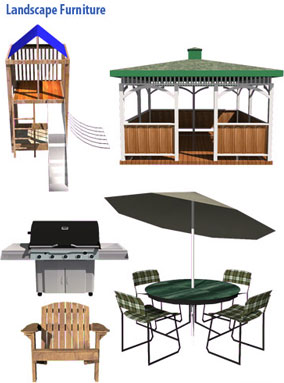
Gazebos and Sheds |
|
Retaining Walls |
|
Add New Landscape to Your Own Digital Photos |
Complete Hardscape Features
|
Fences and Gates in a large number of styles |
|
Sidewalks, Pathways and Driveways |
|
Lighting and Irrigation |
|
Accessory Library, including fountains, waterfalls, barbecues and patio furniture |
Powerful Drawing Features
|
Terrain Modeling Tools: Design your home anywhere, regardless of topography |
|
Collision Control prevents objects from being inserted where they do not belong |
|
Garden Beds, Ponds and Edging |
|
Add Digital Photos of any home furnishing to your 3D home designs. Even add a photo of your family |
Unparalleled Visualization Tools
|
3D Real View™: Exclusive technology assures photorealism |
|
And Much More! |

Walk through your dream home in virtual reality! Design and create a model in Virtual Architect Professional Home Design, then put an Oculus Rift™ or HTC Vive Helmet™ on and enter VR mode. Exploring your designs in 3D has never been easier
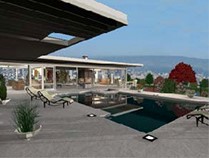
Get enhanced realism in your 3D renders with Presentation Mode.
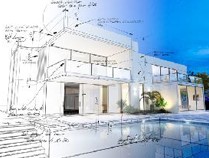
The Room Dimension, Area and Perimeter tools display precise measurements right on your floor plans and models
Want to update your kitchen? Considering a small project like refinishing cabinets or a totally new space complete with granite countertops, hardwood floors, stainless steel appliances and more? <em >Whatever size project you have in mind, Virtual Architect’s kitchen design software gives you the easy yet powerful creative tools needed to turn your dreams into reality today!
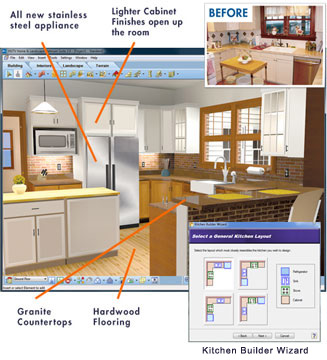
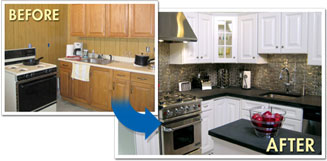
Get Started Fast - Just import photos of your current kitchen or use the kitchen design wizard to sketch out an entirely new room. With just a few clicks, you can see what your kitchen will look like before investing in costly labor and materials!
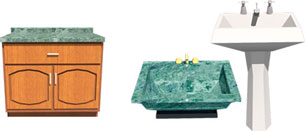
Select Materials Easily – You can easily select from a wide variety of materials using Virtual Architect kitchen design software:

Photo-realistic 3D Views - Virtual Architect's powerful design software lets you take a virtual tour and experience your newly designed kitchen in brilliant 3D!
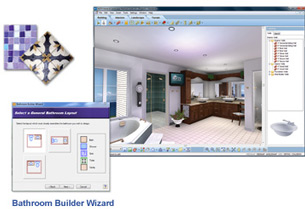
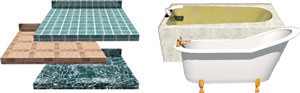
Bathroom Ideas – Need ideas for matching favorite materials? No problem. From traditional to contemporary, Virtual Architect software is fully loaded with great design ideas for an impressive new space. 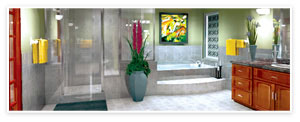
Redecorate rooms using your digital photos. Just point and click to choose paint colors, stains, fabrics and more from our complete library of nationally-known name brand materials.
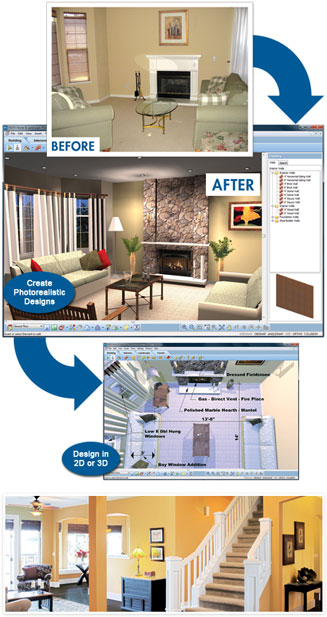
With Virtual Architect’s interior design software you can:
No Design Experience Necessary – Virtual Architect’s interior design software uses a wizard-driven interface making interior decorating a breeze!
Get Started Fast – Scan in current photos of your room or use the interior design wizard to sketch your space. Using drag and drop technology you can effortlessly discover a new design style!
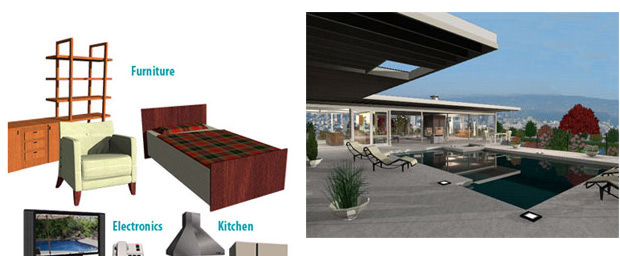
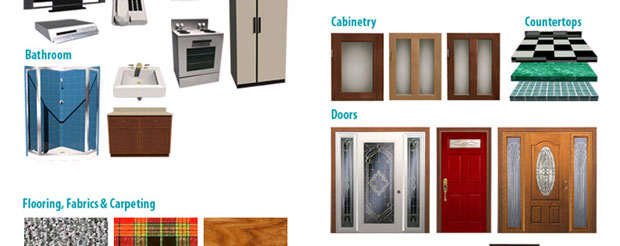
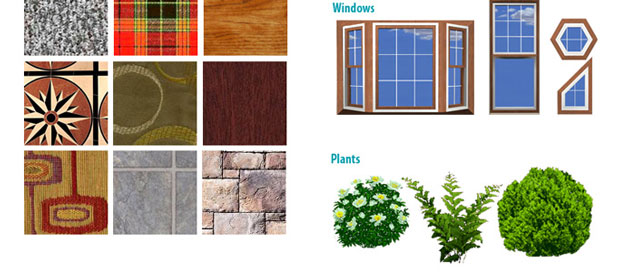
Select Materials Easily – Explore our extensive materials library:
*The 2D Plant Library is being deprecated and will not be supported in future releases. The phase-out includes the plant encyclopedia, plant growth over time, and seasonal change features. In its place, a comprehensive library of 3D plants is included in the release. Please note the 2D Plant Library will no longer work with earlier versions of the software.
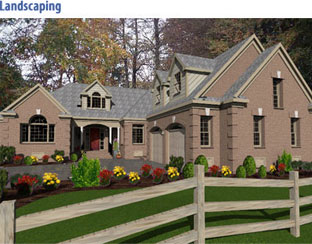
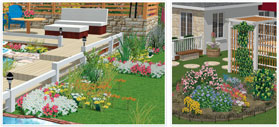
There’s never been an easier way to plan and visualize beautiful, new outdoor surroundings than with Virtual Architect’s landscape design software. From lighting, pathways and plants to decks, gazebos and more, this powerful, easy-to-use software lets you transform an outdated yard and garden into a flourishing, fresh and functional landscape – right before your eyes!
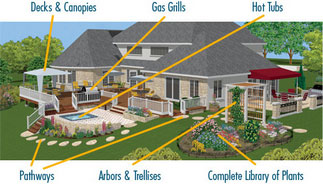
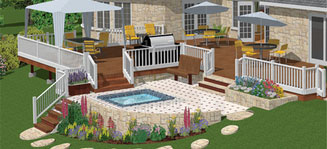
Decks & Patios
Creating your new deck or patio is easy with the Deck Builder Wizard - just select materials and dimensions to create your space, then add plants, fences and accessories for that finished look!
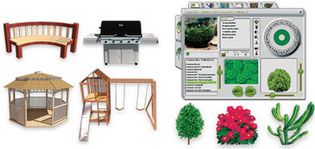
Hardware & Accessories
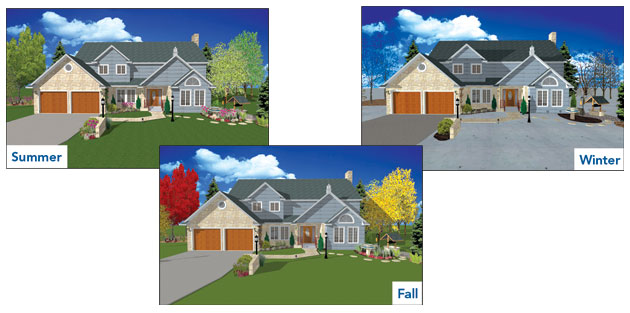
Make your property’s outdoor living space totally unique with custom features that work for every season.
Lighting and Irrigation
Add lighting to flowerbeds, shrubbery and pathways, plus pop-up sprinklers with different spray ranges.
See Your Landscape Design Seasonally

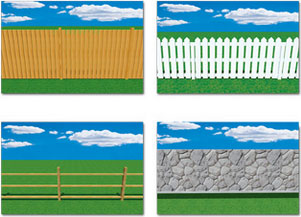
Fences, Gates & Walls
Build fences and gates with complete control over the number of posts, post size and rotation.
Add Landscaping to Digital Photo
Visualizing your new Landscaping is easy - just import your digital photos, add plants, fences and accessories and within minutes, you’ll have created a new, distinctive outdoor space!

Design in 2D or 3D
Simply drag and drop trees, plants, and flowers from our massive plant library. Even see the size of plats as they grow from year to year, making planning easy. Then view your space in 3D to fine-tune your design.
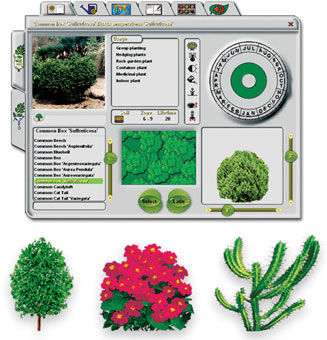
Plant Encyclopedia
Our Plant Encyclopedia has more than 7,500 trees, plants, flowers, shrubs and groundcover options with important information about light, watering and soil requirements.
*The 2D Plant Library is being deprecated and will not be supported in future releases. The phase-out includes the plant encyclopedia, plant growth over time, and seasonal change features. In its place, a comprehensive library of 3D plants is included in the release. Please note the 2D Plant Library will no longer work with earlier versions of the software.
There's never been an easier way to plan and visualize a beautiful, functional landscape than with Virtual Architect Home & Landscape software! From lighting to pathways, decks to gazebos and more, you can transform your outdoor living space in no time at all!
Sidewalks, Pathways and Driveways
Easily add sidewalks and driveways, plus wood, sand, gravel, concrete, brick or asphalt walkways. Even accent your garden with a forest path!
With an extensive Plant Encyclopedia and Irrigation Planning tool, you’ll save time and money using this garden design software before breaking ground.
Plant Encyclopedia: With over 7,500 plants, trees, flowers, shrubs and groundcover options to choose from, you can customize your garden any way you like. Want to know what thrives best in different areas of your garden? Virtual Architect garden design software also includes important information about your chosen plants’ climate, water, light and soil requirements!
Irrigation and Lighting: Add an irrigation system with pop-up sprinklers and even customize the spray range to ensure your plants receive necessary water. Place lighting along custom-designed garden pathways to highlight different plantings within your beautiful new garden.
Visualize: With the click of a mouse you can scan in digital photos of your yard to easily add garden design elements. Take a 3D tour of your new yard and even see how plant sizes grow and change from year to year!
Watch how your landscape will mature over time. From your first year’s planting to 50 years down the line, you can preview your plants’ growth and see how well they will complete your ultimate outdoor living space. 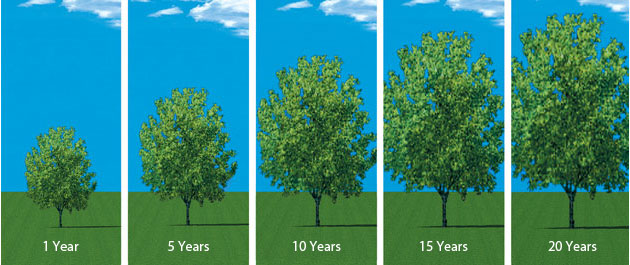
Creating the look of your dream home just got easier with Virtual Architect’s powerful easy-to-use home design software!
Whether you want to build a new home or just want to remodel your current one , with a simple click of the mouse, Virtual Architect home design software gives you all the tools you need – and there’s no design skills required!
Giving your home a new look is easier than ever - just point & click to add walls, doors and windows!
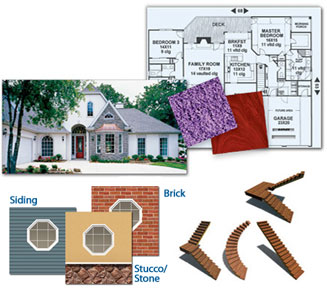
Easy Materials
Easily add brick, stone,
or other materials with complete control.
Creative Stair Options
Easily specify your railings, steps and balusters’ paint and stain colors.
With Virtual Architect home design software you can:
Build a Home from Scratch – Utilize the extensive Home Plan Library and customize your design. Select the home style, number of floors, rooms, materials, doors & windows, electrical & plumbing and even landscaping. Then, handle all the interior decorating yourself!
Remodeling – Import existing plans directly into the software or use the Home Builder wizard to help design your new dream room! Plus, you can even generate blueprint-style plans to give to contractors.
Room Makeovers – Whether you’re remodeling a room or redecorating an outdated one, Virtual Architect home design software is like having your own interior decorator in a box!
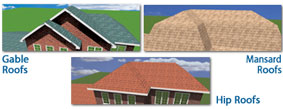
Roofs in any shape or style
Specify your roof’s dimensions and style while experiencing your home in 3D.
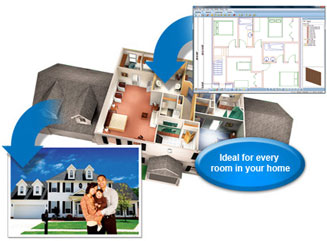
Easily plan room additions, remodeling and other projects. Then see the results in photo-realistic 3D!
Even take a virtual "walkaround" your new space.
1. SKETCH
Drawing new rooms and walls is as easy as clicking and dragging your mouse. Or get started even faster with wizards for virtually any project. Plus, you can even import existing plans straight onto the software.
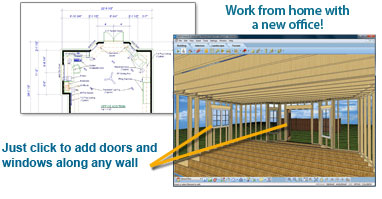
2. CUSTOMIZE
Specify doors and windows. Then add cabinets, lighting, window coverings, flooring, paint and more. It’s easy to design your entire project in 3D!
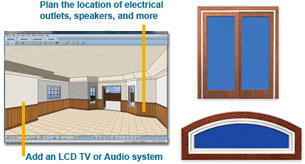
3. FURNISH
With just a few clicks of your mouse, add furnishings with complete control over size, style and fabric. Before you know it, you’ll have a brand new room or addition to explore!
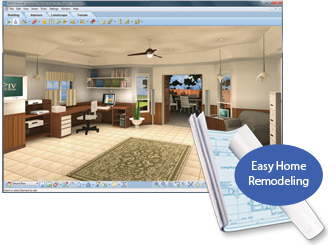
Automatically generate blueprint-style plans to give contractors a precise idea of how you want your remodel to take shape
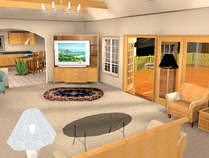
3D Real ViewTM, plus Powerful Animation
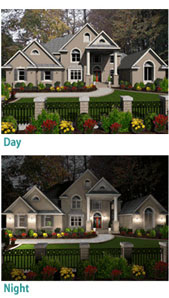
3D Real View rendering adds light, shadows and reflections to a textured 3D view, making it possible to even record an actual tour through your living space that you can play back at any time.

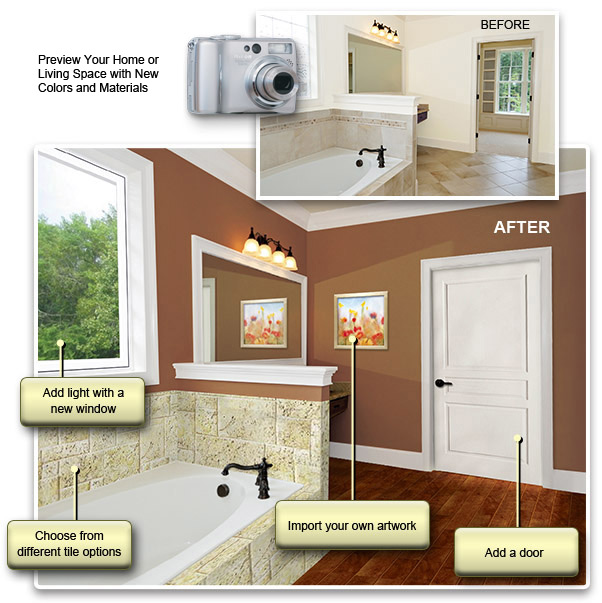
Includes A Complete Library of Paints & Materials
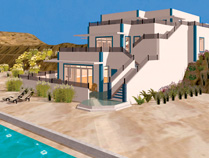
With Virtual Architect Home Design & Remodeling Suite's photo-realistic 3D visualization capabilities, you can design your dreams then watch them come to life!
    |
Here's what you need to run Virtual Architect:
VR System Requirements:
HTC Vive
Oculus Rift
To test your current computer for VR compatibility you can select from one of these two links.
Click here for HTC Compatibilty Test
Click here for Oculus Rift Compatibility Tool
*Additional system and video memory will improve speed and 3D Real View™ rendering capabilities.
**System Configuration: May require minor adjustments to the configuration of your operating system and /or updates to the hardware component drivers.
***User is responsible for all Internet access fees and phone charges.