
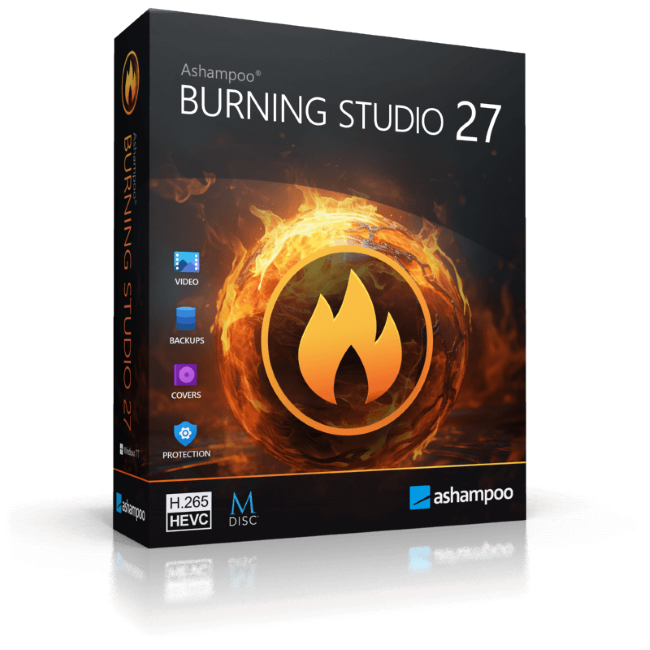
ALL-IN-ONE SOLUTION: Powerful burning software for creating, copying, and backing up CDs, DVDs, and Blu-ray discs – including multimedia, audio, and backup features
RELIABLE & MODERN: Optimized stability, high security, and full compatibility with modern hardware, blank media, and Windows versions
PRO-QUALITY AUDIO: Rip music CDs in studio quality up to 48 kHz, including new AAC support, intelligent metadata detection, and automatic cover search
AUDIOBOOK & PODCAST COMFORT: Smart audiobook detection, merging of multi-part files, and flexible chapter lengths for perfect playback
MULTIMEDIA POWER: Cut videos, create slideshows, and burn movies with animated menus to DVD or Blu-ray – including modern H.265 / HEVC decoder
PERFECT FOR YOUR CAR: Optimized music and audiobook formats for over 1,800 car radios, including proper sorting, normalization, and equalizer support
SECURE BACKUPS: Reliably back up data with backup plans, automatic splitting, compression, and password protection – also as disc backups
DESIGN & USABILITY: Modern interface with light and dark mode, clear structure, intuitive, and easy to use
ACTIVATION: Easy installation and activation via CD-ROM
LIFETIME LICENSE: Full version for 1 PC – no subscription
The new Ashampoo Burning Studio 27 is the most comfortable way to burn your data securely and copy CD, DVD and Blu-ray discs without effort. Rip audio discs and back up your music or create your own music compilations with suitable cover art! Additional top-of-the-line multimedia features also let you create your own movies and slideshows, and even allow you to burn them to disc along with nifty animated menus. Say goodbye to data loss, back up your files instantly, and write important data to any disc type with powerful compression and password protection. And the new convenience features for audiobooks, audioplays, and podcasts guarantee high-quality entertainment!
High-end quality music
The reworked ripping module now delivers even better results. With higher sample rates up to 48 kHz, you’ll create studio-grade audio files that meet professional standards. The new AAC format adds greater flexibility and compatibility with modern players and smartphones. And for even smoother workflows, the drive can now automatically eject the disc after each ripping process–perfect when digitizing multiple CDs in a row.
Smarter music and audiobook detection
The improved CD database ensures much more accurate title and album detection. This benefits every module that relies on CD information–from ripping to cover design. The audiobook module has also been enhanced: Multi-part audiobooks with incomplete or conflicting metadata are now automatically recognized and correctly grouped. That means no more manual sorting–just perfectly structured chapters right away.
New design, same clarity
Ashampoo Burning Studio 27 boasts a revamped interface that is modern, clean, and available in both light and dark themes. It can automatically adjust to your Windows settings for smooth integration. Behind the scenes, various optimizations enhance stability and security, ensuring full compatibility with the latest hardware, disc types, and Windows versions. The outcome: flawless burns, copies, and backups every time.
We’re committed to our users!
Traditional disc burning may have become less common, but for many loyal users, it remains an essential medium for storage and archiving. That's why we continue to invest in development and incorporate customer feedback with every new version. Our goal is to ensure that Burning Studio remains technically up to date, supporting all modern formats, standards, and devices. When you choose Ashampoo, you can always count on quality, maintenance, and long-term support.
Backup your music discs and store your songs directly on your PC!
Need to extract audio from your music CDs? The clever disc ripping feature in Ashampoo Burning Studio extracts audio from music disc in a matter of minutes! Artist and genre are automatically recognized, there's no need for manual input. Turn audio CDs into high-quality audio files with meaningful file names and select from a variety of different formats! Naturally, you can then turn your files into music discs, along with equalizer and volume adjustments for an even better sound experience, and add your own cover designs. Sounds good? It is!
Here's what you need to run Ashampoo® Home Design Pro 11
Requirements
Other